4.4 Logic
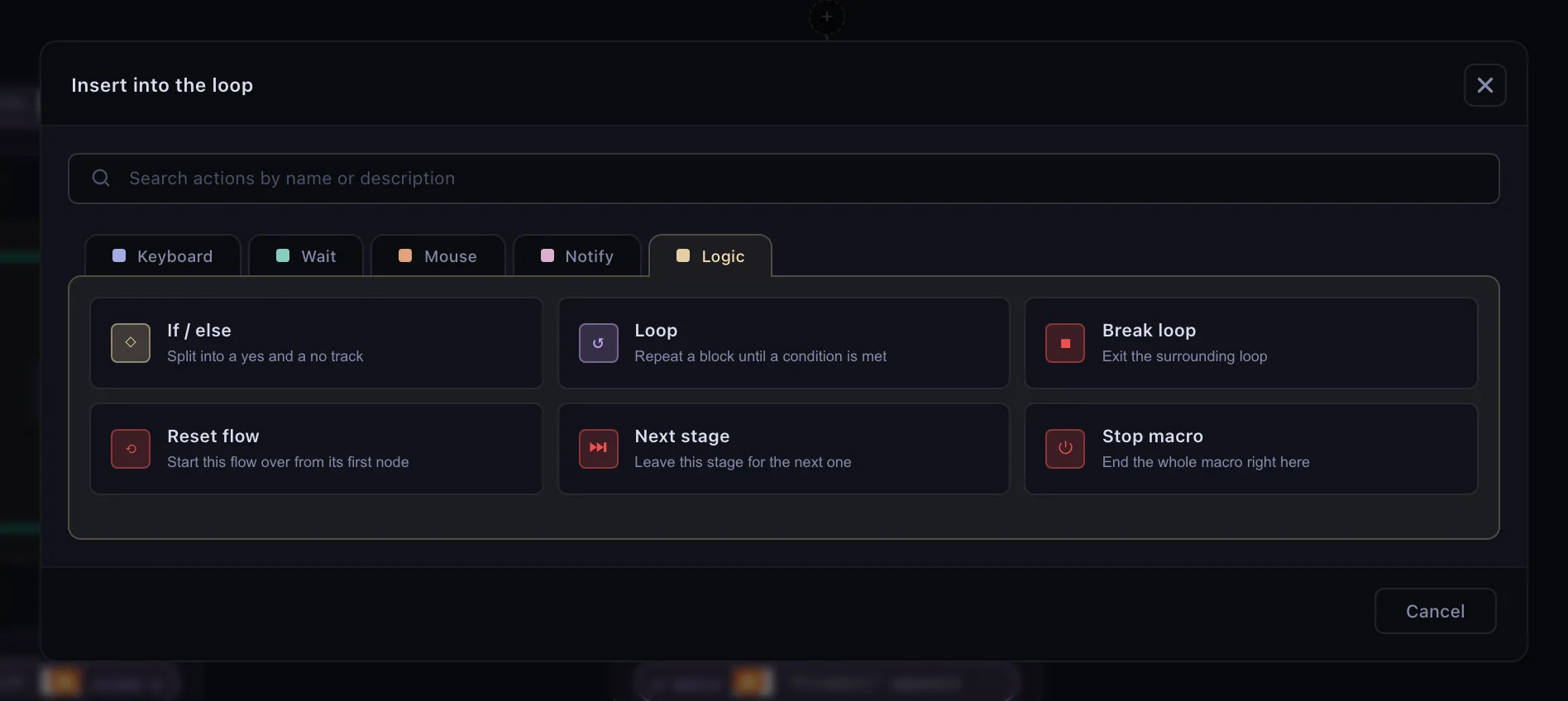
A flow runs its steps in order. The steps on the palette's Logic tab — if / else, loop, and the four that end something — are how it stops running in a straight line.
Which one you need
◇ If / else
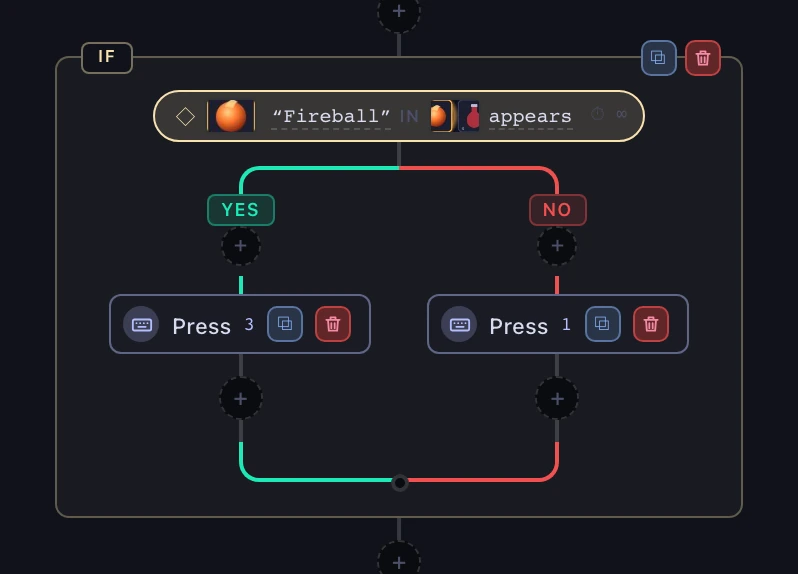
One question, two tracks. “When I press the key, send 2 if the skill is ready — and 1 if it is not.”
↺ Loop
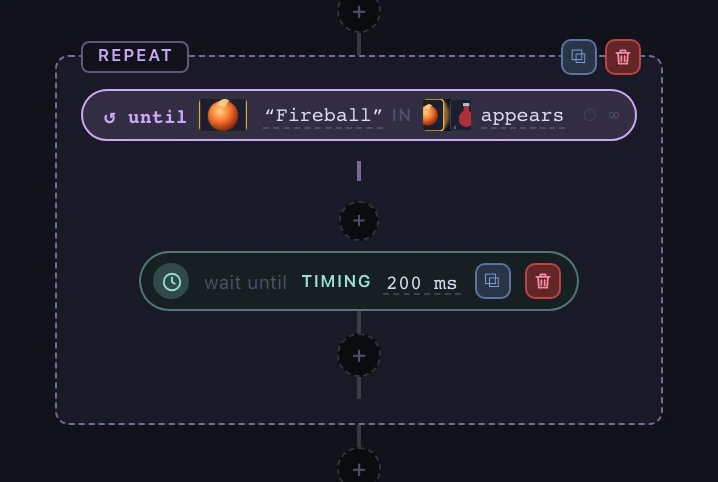
The same block, again. “Press it five times.” “Keep pressing until the bar is full.”
+ Combining conditions
Two or more signals in one question. “Only when the skill is ready and health is above half.”
■ Break, reset, stop
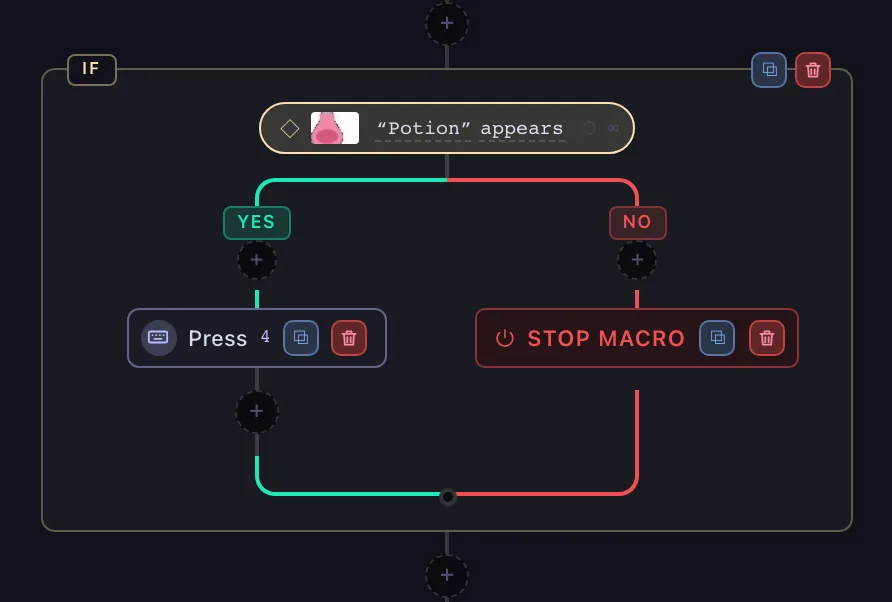
A step that ends something. “Out of potions — stop the macro.” “Start this flow over.”
If / else
A branch asks its condition and takes one of two tracks. Each track is a chain of its own, so branches nest as deep as you need.
What a branch can test
Four signals, the same four a loop offers:
- Object on screen — a saved picture is there, or is gone.
- Color in area — a bar reads above or below a level.
- Key pressed — you are holding a combination.
- Sound heard — a saved sound is playing.
Timing is deliberately not among them. A delay is already decided by the time anything asks about it, so branching on one decides nothing — if you want a pause before the question, put a Timing step in front of the branch.
The timeout decides how the question is asked
It is subtler than a deadline. Off, the condition is one check — read the screen right now, take that answer, never block. On, the branch waits up to the deadline for the condition to become true before deciding, and you choose what running out means: Run “no”, Run “yes” — count it as true anyway — or Reset flow.
Loop
A loop repeats its body. Repeats is what decides when it stops, and there are three answers.
- A count is reached — press it five times, and move on.
- A condition passes — keep going until the loot icon disappears, or until the bar is full.
- Forever — until a Break loop inside it ends the loop, or the macro stops.
With a condition, you also choose when it is asked: Before each pass, so the body may never run at all, or After each pass, so the body always runs at least once.
Inside a loop, and only there, the palette also offers Break loop, which leaves it immediately — one of the four steps on the next page.
Break, reset, stop
Four steps end something instead of doing something. Each is a red chip with no + under it: nothing after it runs.
- Break loop — leaves the loop it sits in and carries on below it. Offered inside a loop only.
- Reset flow — starts this flow over from its first step, from wherever it sits, even deep inside a loop or a branch. It is the same thing a wait's Reset flow give-up does. A held key stays held.
- Next stage — leaves the stage, exactly as its exit condition passing would. Offered only while the stage has a next one; in the last stage that job belongs to Stop macro.
- Stop macro — ends the whole macro, the same as pressing its trigger again: every flow stops and every held key is released.
Combining conditions
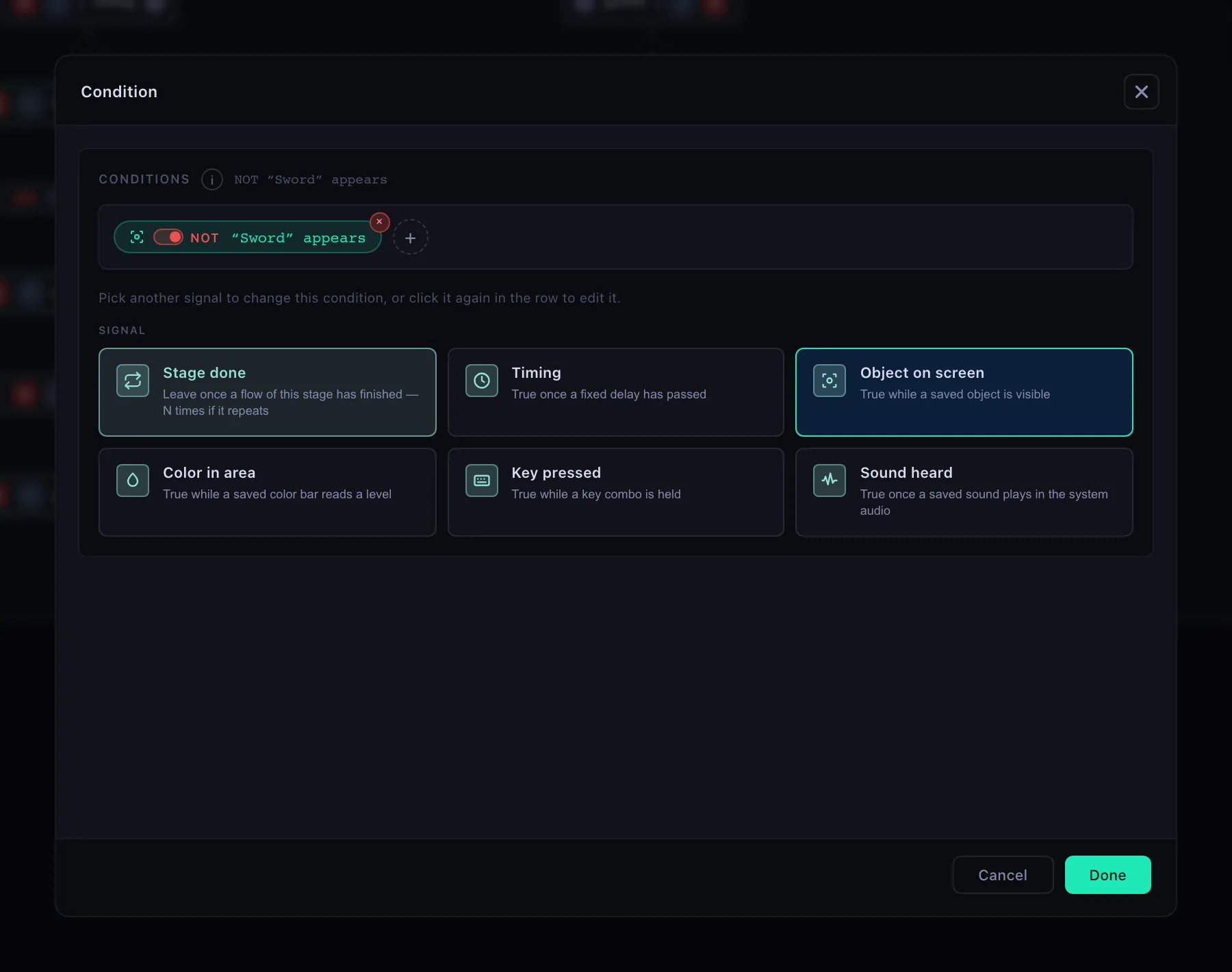
A condition is a tree, wherever it is asked — a branch, a loop, a wait, a stage's exit. Add a second signal with +, then drag one chip onto another to group them into an and or an or; drag it out to ungroup. The switch on a chip is Not, and inverts it: screen conditions anywhere, a key only on an if or a loop with no deadline.